 Jumie
How to track expenses without a spreadsheet
Most people give up on tracking their spending by the second week. The problem is rarely a lack of discipline: it's a method that takes too much work.
Why spreadsheets don't work for most people
A spreadsheet asks you to stop, open your laptop and remember everything you spent over the last few days. The small purchases, like coffee, parking or a ride-share, are exactly the ones that slip through the cracks. And added up, they're what pushes the month into the red.
When logging depends on memory and free time, it stops happening. The trick is to flip it around: log each expense the moment it happens, in seconds, and leave the totals and organizing for later.
The method: log it on the spot, review once a week
- Log it when you spend it. One sentence is enough: the amount and what it was for. Even better if you can do it by voice or with a photo of the receipt.
- Keep categories to a minimum. Food, groceries, transportation, housing and leisure cover almost everything at first.
- Set a cap for each category. It doesn't have to be perfect. Use last month's spending as a starting point.
- Review once a week. Five minutes on Sunday to see where the money went and whether any cap is getting close.
- Adjust the next month. If a cap blows up every month, either it was unrealistic or that category deserves attention.
Which categories to use
Too many categories turn logging into paperwork. Start with five or six and only add another when you actually miss it. A list that works for most people:
- Food: restaurants, snacks, takeout and coffee.
- Groceries: supermarket and farmers market runs.
- Transportation: gas, ride-shares, transit and parking.
- Housing: rent or mortgage, utilities and internet.
- Health, Leisure, Education and Subscriptions: when it makes sense to split them out.
- Other: for anything that doesn't fit, guilt-free.
How to do it with Jumie
Jumie was built for exactly this method. Tell it what you spent, by text or by voice, or send a photo of the receipt. It logs the amount, picks the category and totals your week and month. Expenses said by voice are only saved after you confirm them.
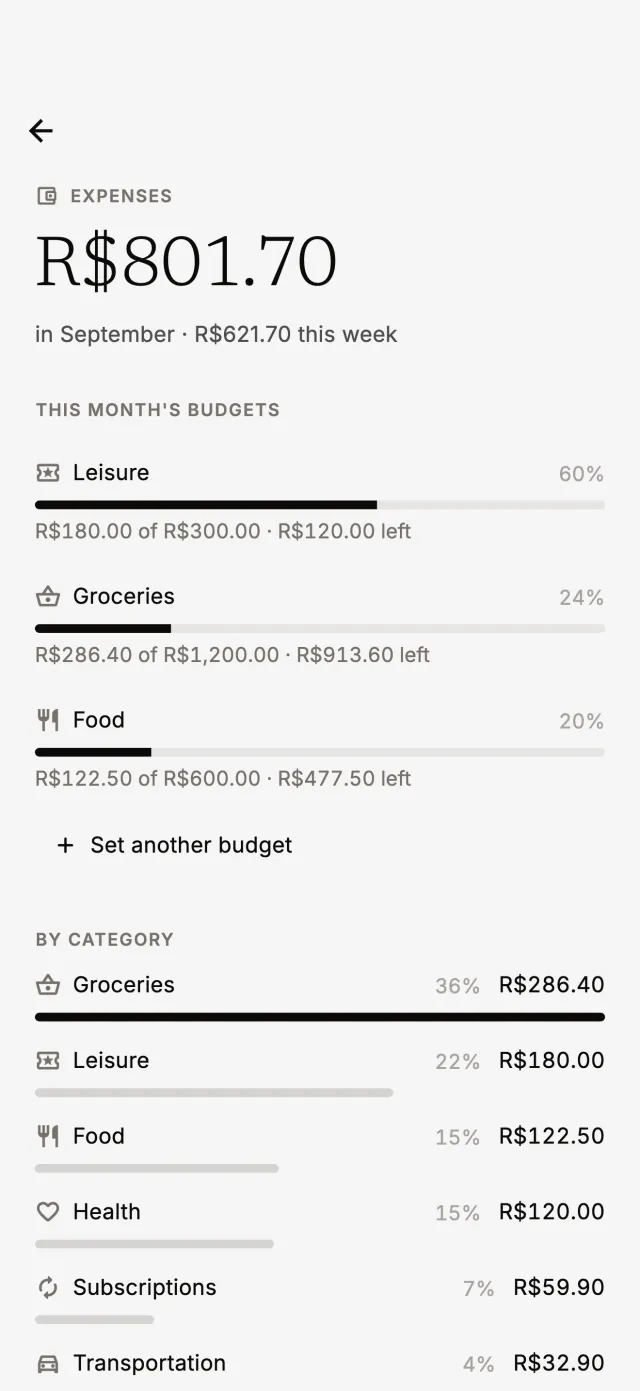
A few requests that work just the way you'd say them:
- “I spent $12 on an Uber and $4 on coffee.”
- “How much did I spend on groceries this month?”
- “My leisure budget is $300 a month.”
- “Delete yesterday's Uber.”
If you set a budget per category, Jumie lets you know when spending passes 80% and 100% of the limit. And on Sunday night you get the weekly summary, which does a good part of the review for you.
Tips so you don't give up
- Start today, without trying to recover the past. Rebuilding the last few months is the fastest way to lose steam.
- Don't chase the cents. Rounding won't ruin your tracking. Forgetting to log will.
- Log fixed costs once a month. Rent and bills go in all at once, on the day you pay them.
- Look at trends, not one bad day. One expensive weekend doesn't define the month.
Want to set a cap for each category? Read the guide on how to make a monthly budget.