 Jumie
How to organize your calendar with AI
An AI assistant doesn't replace your calendar. It takes the tedious work off it: finding a time, booking, rescheduling and remembering what was agreed.
What an AI assistant does for your calendar
- Books, moves and cancels events from a single sentence, with no forms to fill in.
- Finds free time, even across your personal and work calendars.
- Answers questions about your day, like “what do I have tomorrow morning?”.
- Gets you ready for meetings, reminding you who's coming and sending you the call link.
- Sends a morning briefing with the day's calendar, spending and reminders.
Step by step to get started
- Connect your Google accounts. If you have a personal and a work calendar, connect both. The assistant can only find real free time if it sees everything.
- Start the day by asking about your calendar. “How does my day look?” beats opening the calendar and scrolling.
- Book by voice the moment you agree on something. The event you leave for later is the one you forget.
- Before accepting an invite, ask about your free time. “Am I free Thursday afternoon?” avoids conflicts.
- Turn on the pre-meeting alert. Fifteen minutes before, you get the context and walk in prepared.
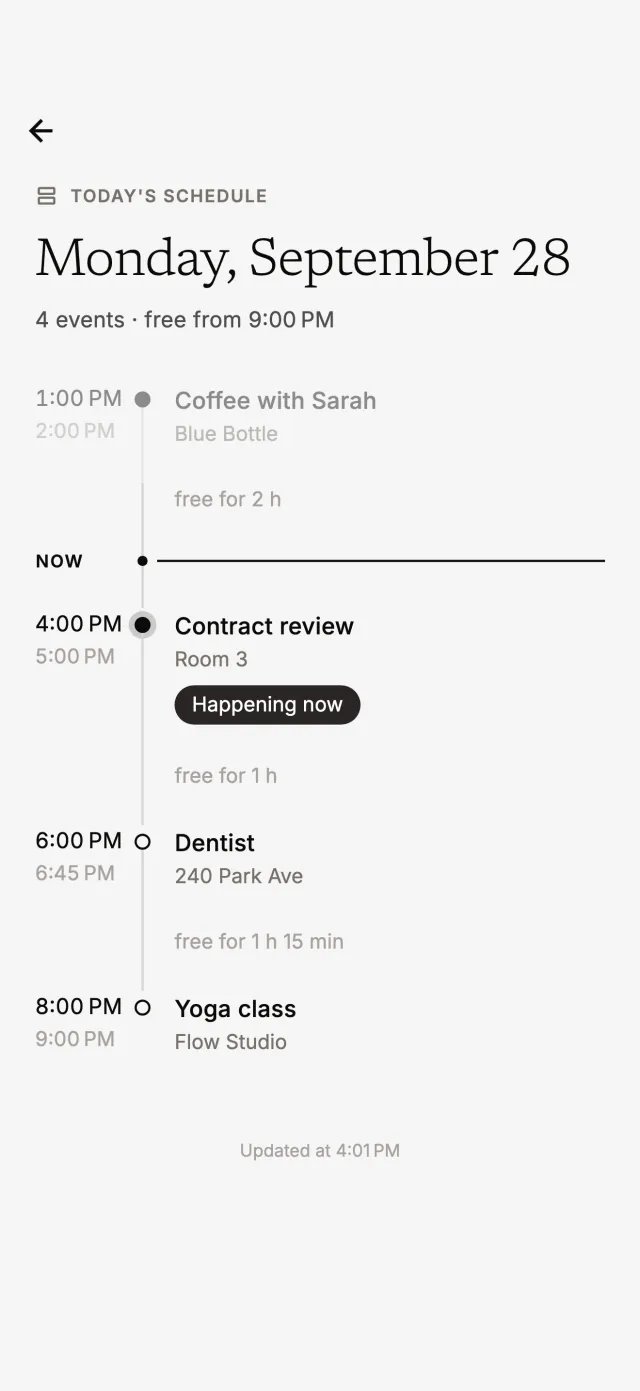
Requests that work
Talk the way you'd talk to a real assistant. A few examples Jumie understands:
- “Book the dentist Thursday at 3pm.”
- “Move the meeting with Carla to Friday, same time.”
- “Do I have any free time this afternoon?”
- “Who's coming to the 4pm meeting?”
- “Remind me to call the bank tomorrow at 10am.”
What about privacy?
Connecting a Google account is optional, and you can disconnect anytime. Jumie only accesses the calendars of the accounts you connect, never your email, and asks for your confirmation before moving or deleting an event. Voice recordings are only used to understand your request and are deleted right after.
Calendar, reminders and spending in one place
The advantage of an AI personal assistant is bringing together what's scattered across apps today. In the same conversation where you book a meeting, you can log what you spent on lunch and ask to be reminded to pay a bill.
Want the same assistant to look after your money? See how to track expenses without a spreadsheet.