Jumie

Your pocketAI assistant.

Ask the way you'd ask a friend. Jumie takes care of your calendar, your spending, your email and your lists.

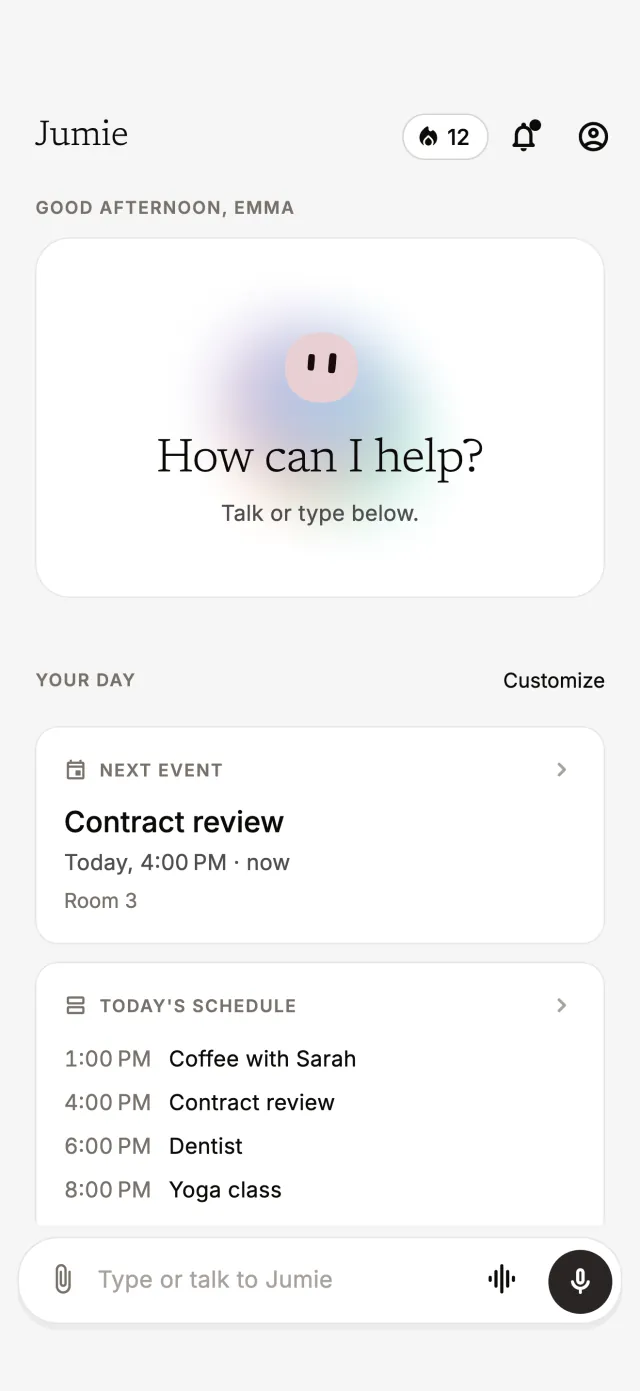
Jumie home screen: next event, today's schedule and a field to type or talk


All in one conversation.

You ask, Jumie handles it. And every topic gets its own screen, for when you want to take a closer look.

  1. Your day on one screen

    Your next meeting, today's schedule, this week's spending and the emails that matter. You choose what shows up and in what order.

  2. Ask the way you'd say it

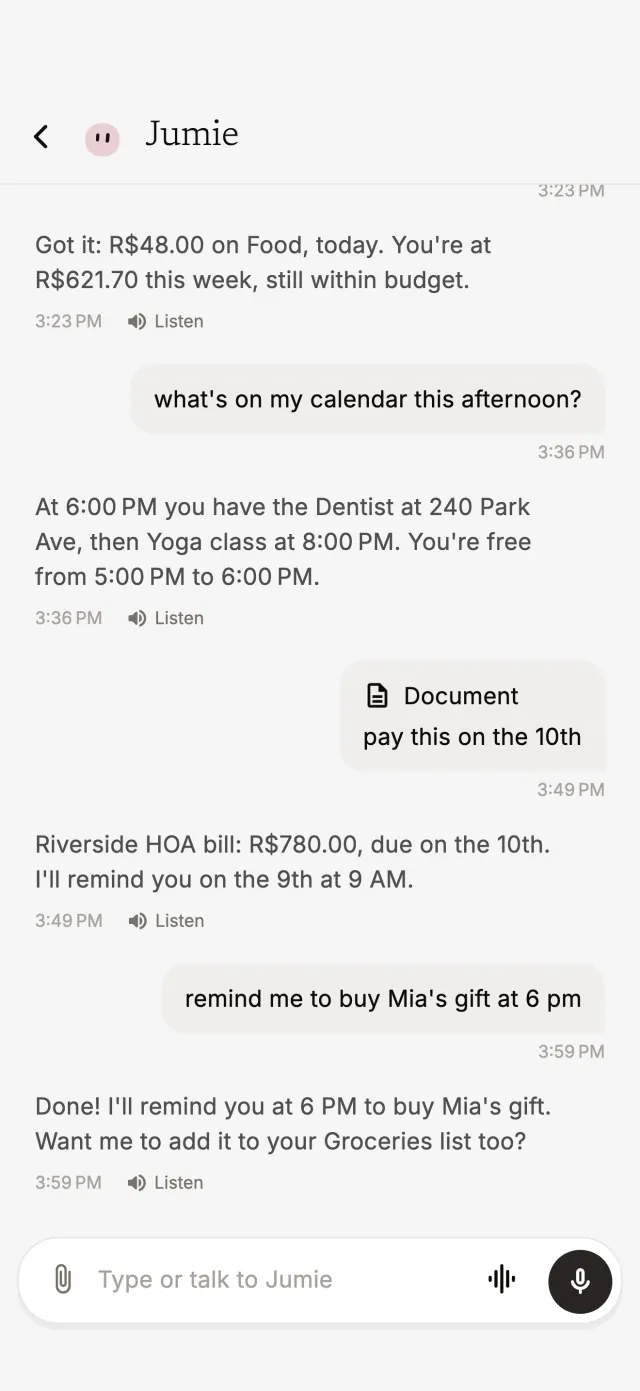
    Type, send a voice note or a photo. Several requests in one sentence work too.

    I spent $12 on an Uber, and what's on tomorrow?
    A chat with Jumie about the calendar, a bill and a reminder
  3. Or just talk, like a phone call

    In conversation mode you talk hands-free. It listens, answers right away and looks things up mid-conversation.

    Do I have any free time this afternoon?
    Conversation mode: Jumie answers out loud
  4. Your calendar, free time included

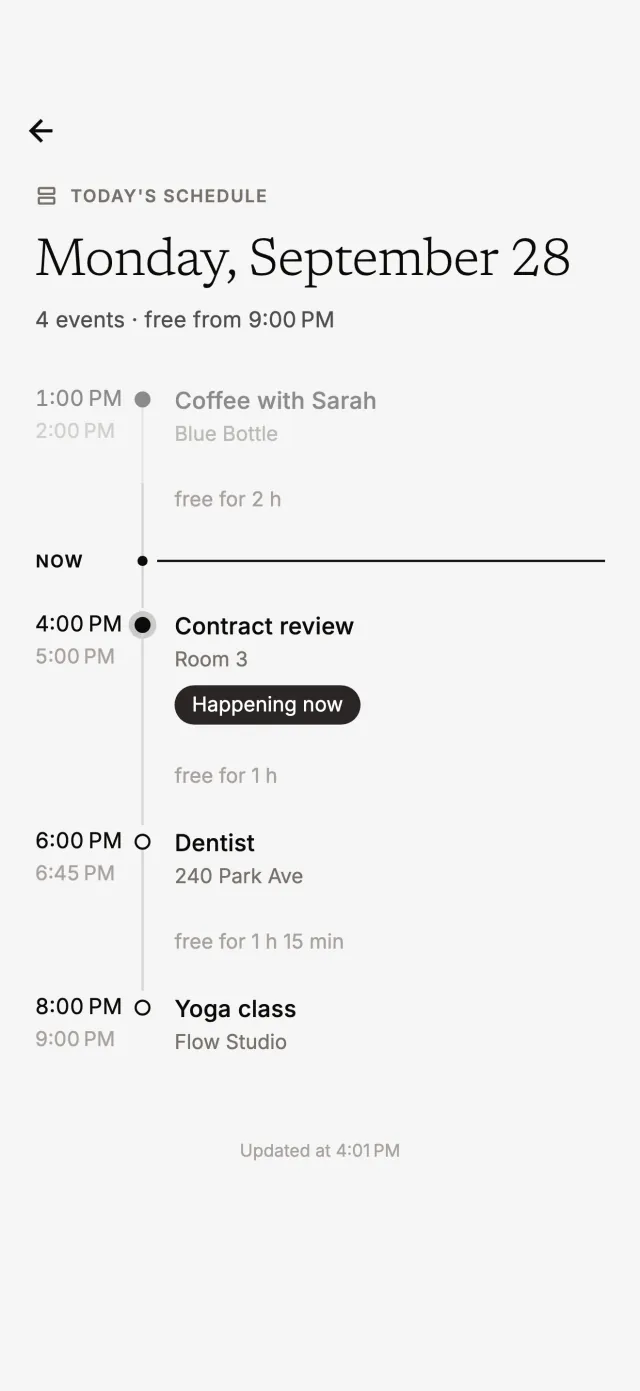
    It merges the calendars of all your Google accounts and shows where you have time to spare, hour by hour.

    Am I free next Friday afternoon?
    Today's calendar with the free time between meetings
  5. Only the emails that matter

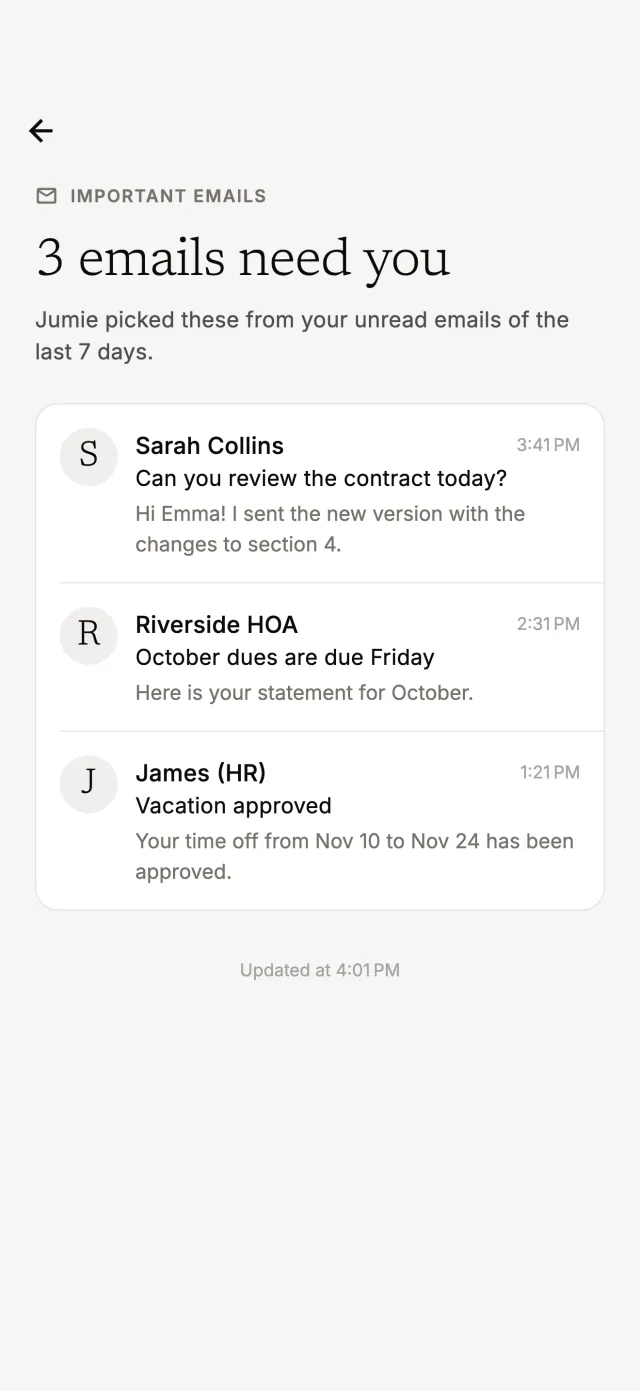
    Among your unread emails, it picks the ones that need you. Ask for a reply and it shows you the draft, sending it only after you approve.

    Anything important come in today?
    Three important emails picked out by Jumie
  6. Spending, no spreadsheet

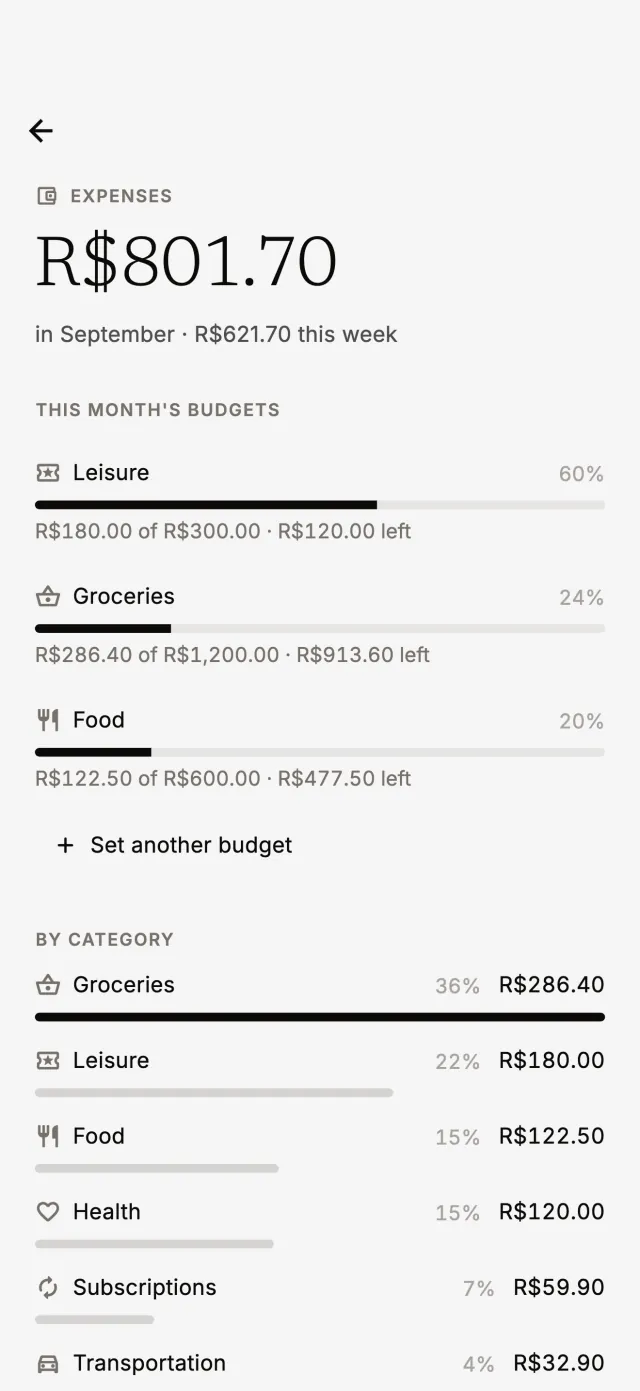
    Say what you spent or send a photo of the receipt. It sorts it by category, totals the week and month, and warns you when a budget is running out.

    I just spent $12 on an Uber.
    This month's spending with budgets by category
  7. Lists that write themselves

    Groceries, to-dos, whatever you need. Check off what's done and share the list with one tap.

    Add eggs to the grocery list.
    Grocery list with pending and completed items
  8. It remembers for you

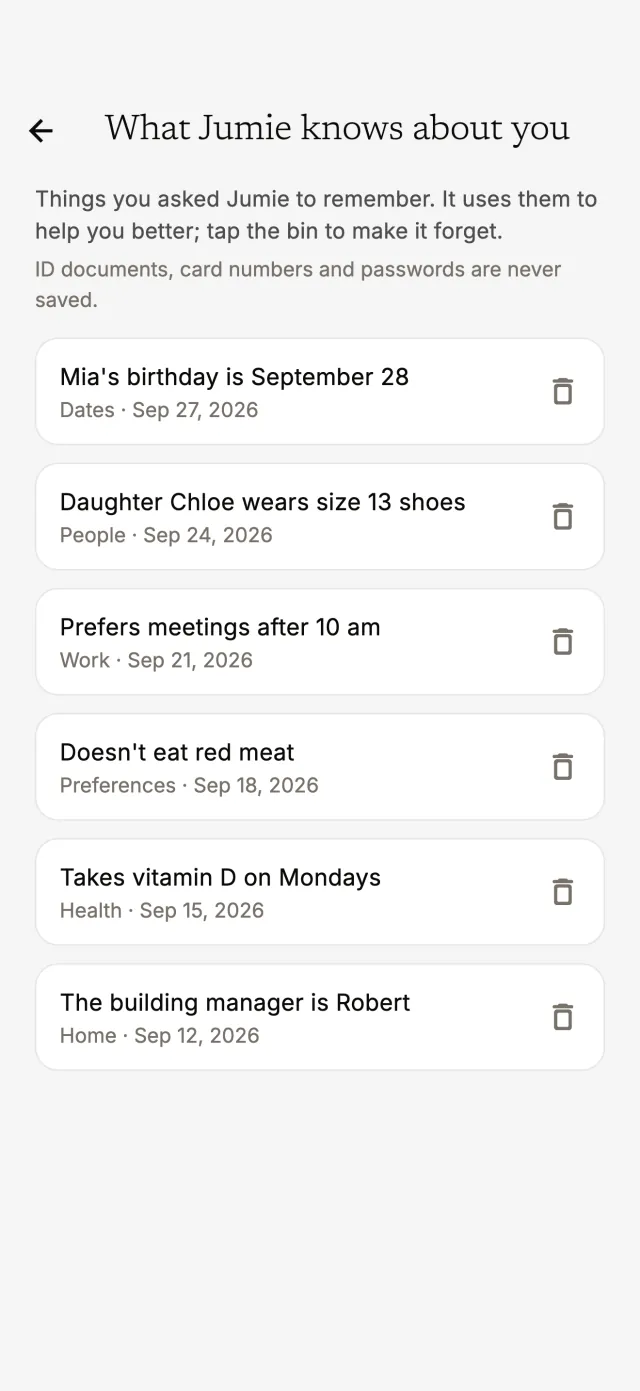
    Tell it birthdays, preferences and little details. Jumie uses them to give better answers, and you can see and delete everything anytime.

    Mia's birthday is September 28.
    What Jumie knows about you: saved facts, each with a delete button

It speaks up before you remember.

Besides the reminders you ask for, Jumie keeps an eye on what matters and sends a notification at the right time. You choose which alerts you get.

  • Morning briefingEvery day at the time you pick: schedule, email, spending and reminders.
  • Before each meeting15 minutes ahead: who's coming and what was said over email.
  • Bills in your inboxBills and invoices found in your email, with a reminder before they're due.
  • Budget running outWhen a category passes 80% and 100% of the month.
  • Replies you're owedEmails you sent that are still waiting for an answer.
  • Weekly summarySunday evening: how the week went and what's coming up.

It's the little things.

A photo of a bill becomes a reminder.

Send a photo of a receipt or a bill. Jumie reads the amount and due date, then logs the expense or sets the reminder.

Chat: a photo of a bill with 'pay this on the 10th' and Jumie's reply with the amount, due date and reminder

On your home screen.

With the widget, one tap and you're already asking.

Eight voices to choose from.

It reads answers out loud, the way you like.

NaturalSoftLivelyFirmDeep

Every calendar, together.

Connect your personal and work accounts. Jumie brings them together and finds free time, even with the people you want to invite.

It speaks your language.

English, Portuguese or Spanish, with dates and amounts in the right format for each.

And you pick the name.

Jumie is just the start. Call your assistant whatever you like.


What Jumie keeps, and what it doesn't.

Voice notes and photos
Used only to understand your request, then deleted right away. Only the text of the conversation is kept.
Nothing goes out without you
No email is sent until you approve the draft, and no expense said by voice is saved without your confirmation.
Google is optional
Connect one or more accounts if you want. Jumie never forwards or deletes email, and you can disconnect anytime.
Memory in your hands
See everything it remembers and delete it with one tap. Documents, card numbers and passwords are never saved.
Yours stays yours
Each account only sees its own conversation, its own spending and its own lists.
Kept with care
Data is stored on Google Cloud in São Paulo. Google authorizations are encrypted.

The details are in our Privacy Policy.

Just talk. Jumie handles the rest.

Jumie is in closed beta on iPhone and Android. Request an invite and we'll let you know when a spot opens up.

Request an invite
Coming soon to the App StoreComing soon to Google Play