 Jumie
Track expenseswithout a spreadsheet.
Say what you spent, send a voice note or a photo of the receipt. Jumie logs it, sorts it into a category and lets you know when a monthly budget is running out.
Personal finance, in a conversation.
No opening an app, picking a category and typing an amount. Say it when you spend it, and your budget keeps itself.
-
Log it in seconds
Type, send a voice note or a photo of the receipt. Several expenses in one sentence work too.
I spent $12 on an Uber and $4 on coffee.
-
Automatic categories
Food, Groceries, Transportation, Housing, Health, Leisure, Education, Subscriptions, Shopping, Travel and Other. Jumie picks the right one for every expense.
I spent $15 on lunch.
-
Weekly and monthly totals
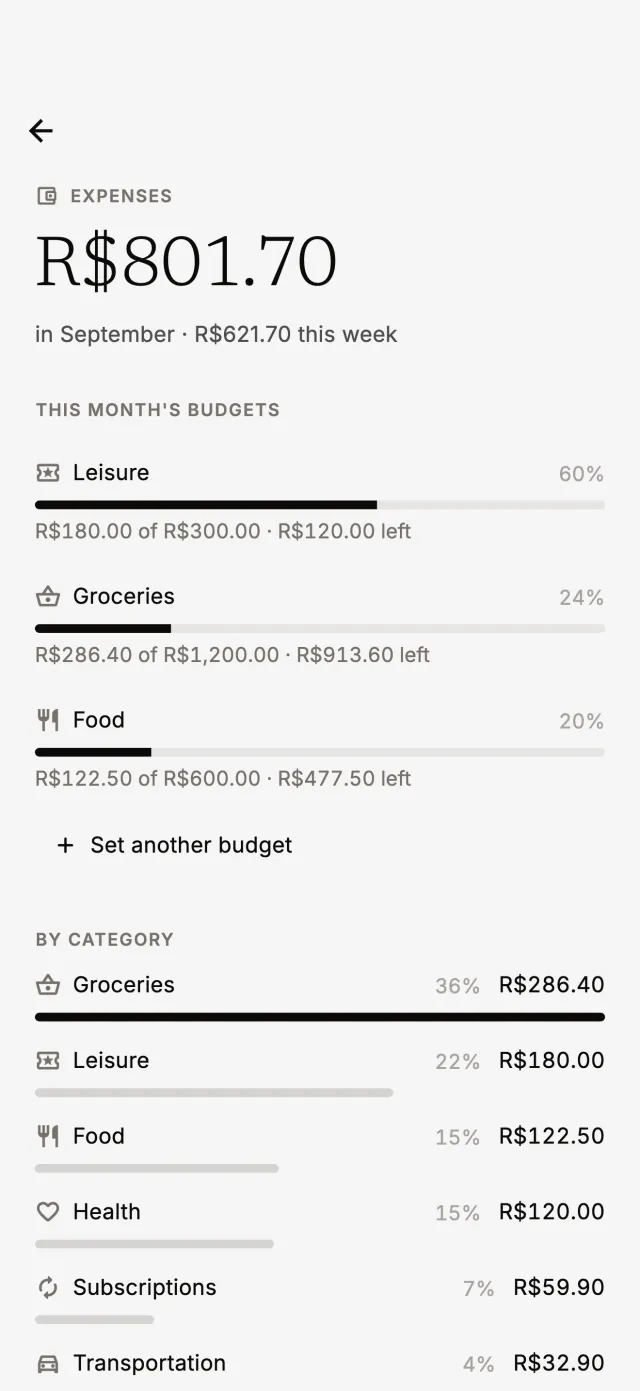
Ask what you've spent, by category or in total, and see the numbers on the spending screen.
How much did I spend on groceries this month?
-
Budgets with alerts
Set a monthly budget per category. Jumie lets you know at 80% and 100% of the limit.
My leisure budget is $300 a month.
-
Bills as reminders
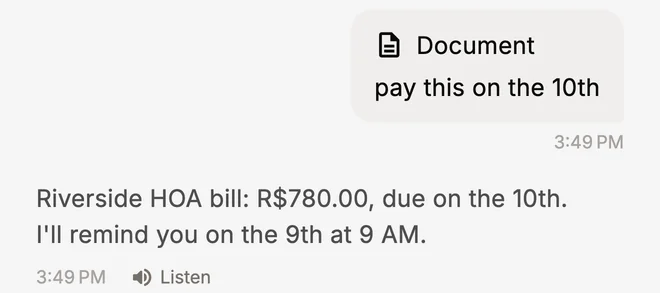
Ask to be reminded of a bill, or send a photo of it. Jumie reminds you on the right day, so you never pay late.
Remind me to pay the electric bill on the 10th.
-
Nothing saved without you
Expenses said by voice are only saved after you confirm, and you can fix or delete any of them anytime.
Delete yesterday's Uber.
A photo of the bill becomes a reminder.
Send a photo of a receipt or a bill. Jumie reads the amount and due date, then logs the expense or sets the payment reminder. Voice notes and photos are only used to understand your request and are deleted right after.
More than a budget app.
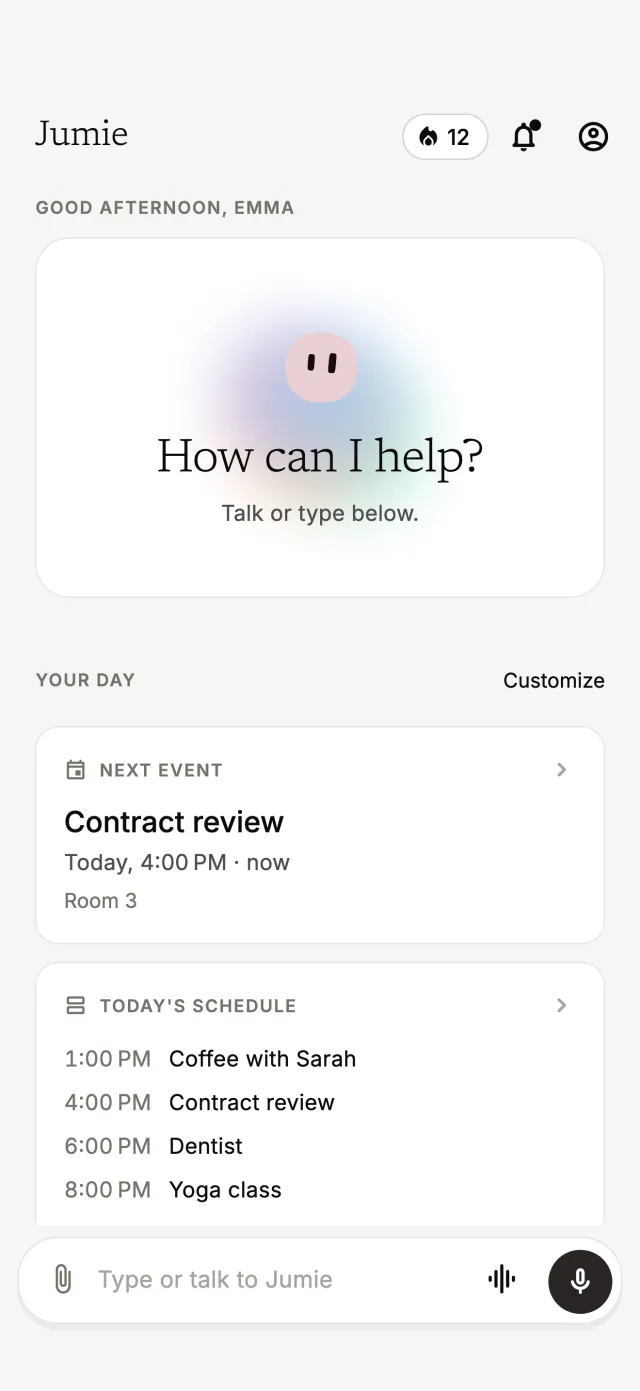
Expense tracking lives next to your calendar, your lists and your reminders. On the home screen, you see your next meeting and this week's spending side by side.
And in the morning briefing, Jumie tells you today's reminders and how your budgets are doing.
Questions, answered.
Is Jumie a free expense tracker?
The free plan already lets you log expenses and follow your month. Jumie Pro, monthly or yearly with a free trial, adds unlimited chat, voice for up to 10 minutes, replies in Jumie's voice and up to 5 Google accounts.
Does Jumie connect to my bank account?
No. You log expenses by voice, text or a receipt photo, so you never share bank passwords or account details.
Can I log expenses with a photo of the receipt?
Yes. Send a photo of a receipt, an invoice or a bill. Jumie reads the amount, picks the category and logs the expense, or sets a reminder for the due date.
How do monthly budgets work?
Set an amount per category, like $300 for Leisure. Jumie follows the month and sends a notification when spending passes 80% and 100% of the budget.
Is my financial data safe?
Each account only sees its own expenses. Card numbers, ID documents and passwords are never stored, and data is kept on Google Cloud.
Just talk. Jumie handles the rest.
Free to download on iPhone and Android. Start on the free plan and upgrade to Jumie Pro whenever you want.