 Jumie
A photo of a bill becomes a reminder.
Send a photo of a receipt or a bill. Jumie reads the amount and due date, then logs the expense or sets the reminder.

Ask the way you'd ask a friend. Jumie takes care of your calendar, your spending, your reminders and your lists.
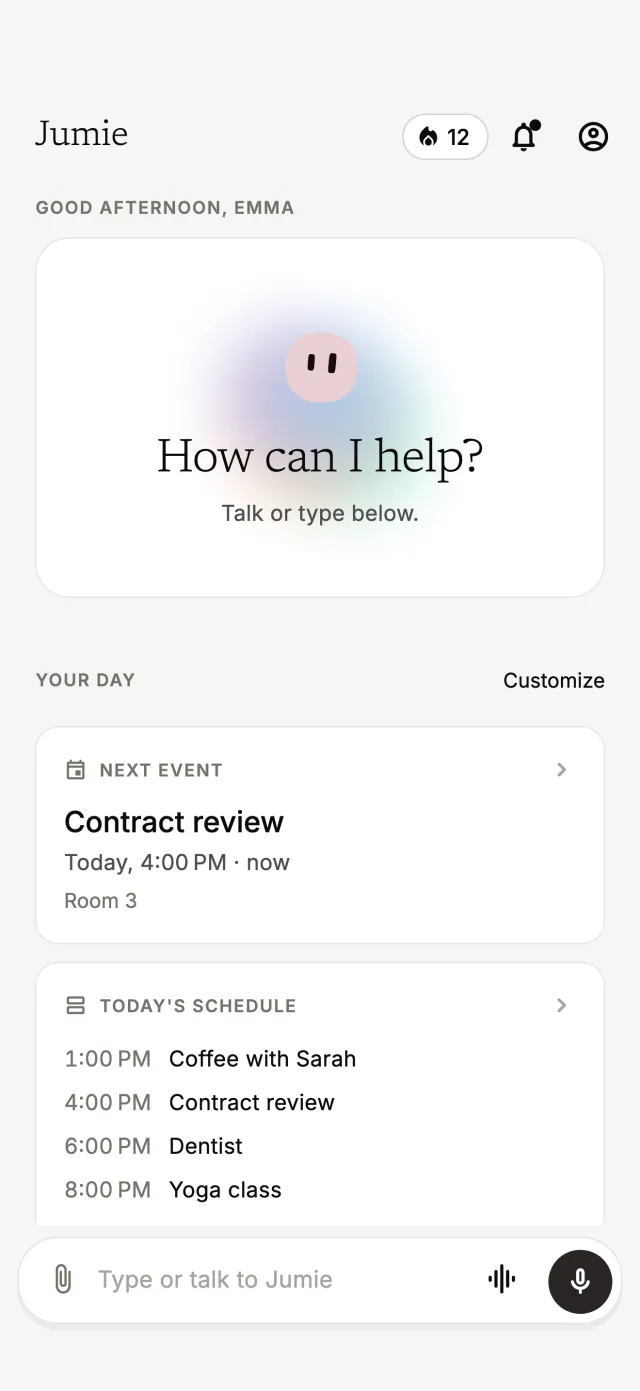
You ask, Jumie handles it. And every topic gets its own screen, for when you want to take a closer look.
Your next meeting, today's schedule and this week's spending. You choose what shows up and in what order.
Type, send a voice note or a photo. Several requests in one sentence work too.
I spent $12 on an Uber, and what's on tomorrow?
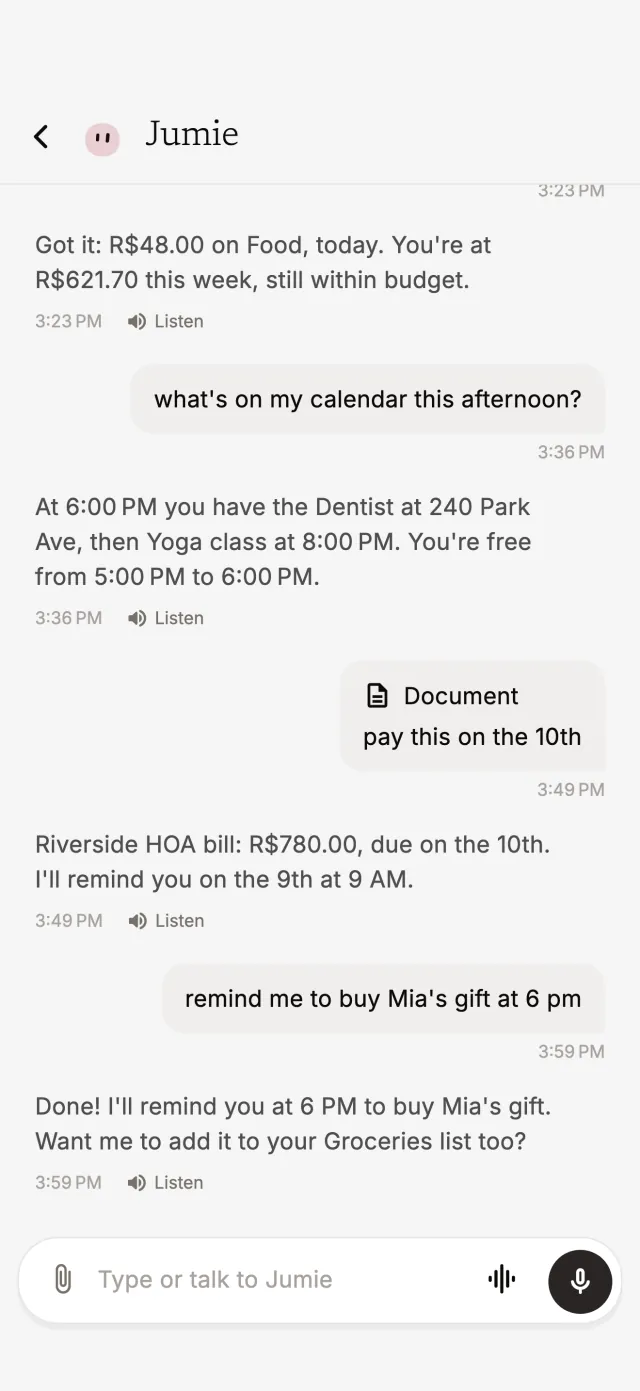
In conversation mode you talk hands-free. It listens, answers right away and looks things up mid-conversation.
Do I have any free time this afternoon?

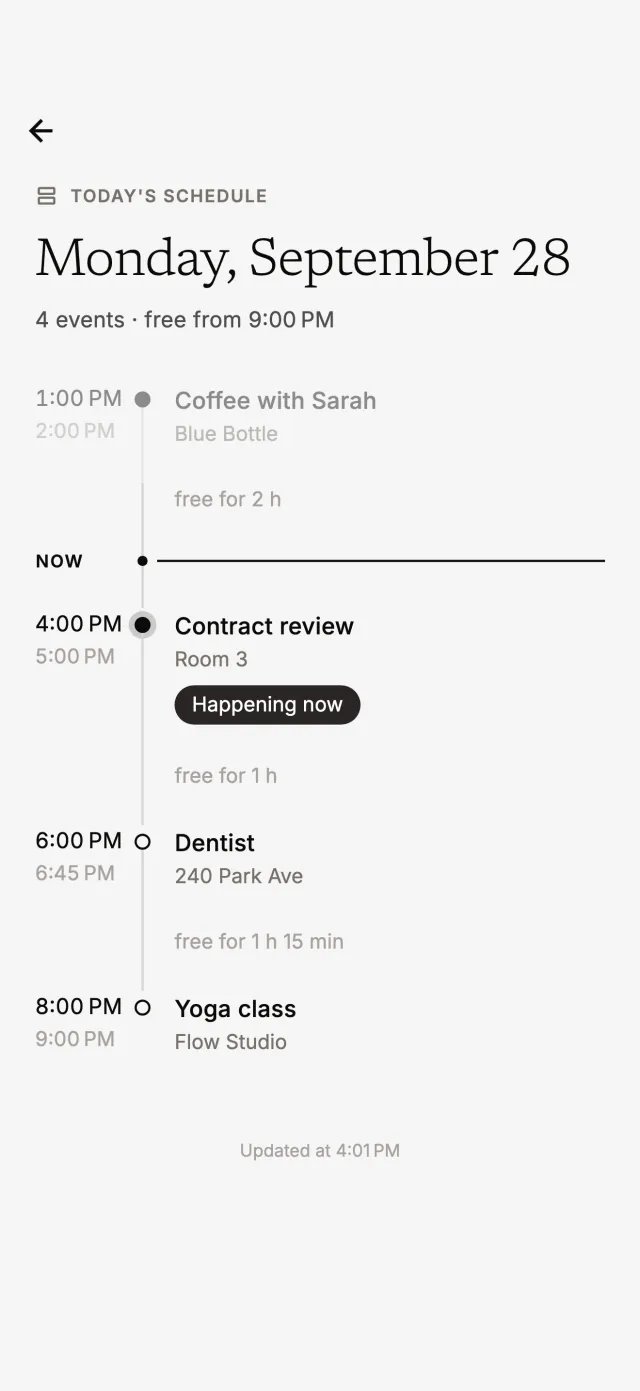
It merges the calendars of all your Google accounts and shows where you have time to spare, hour by hour.
Am I free next Friday afternoon?
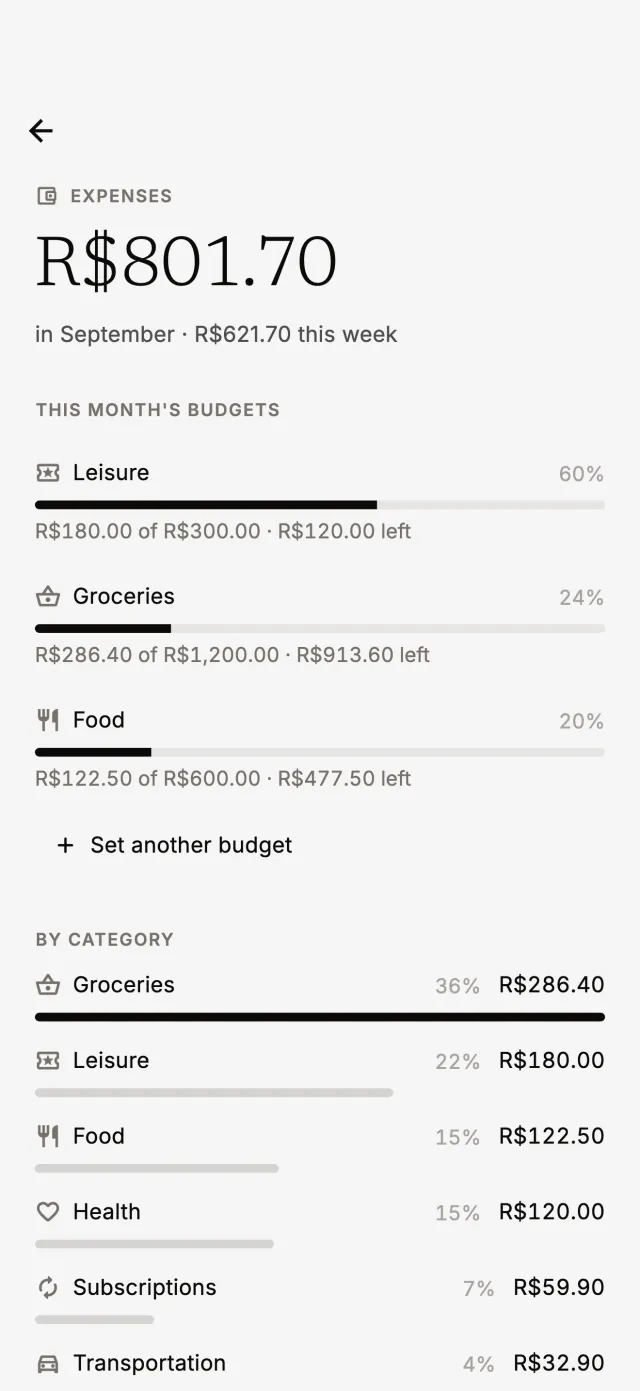
Say what you spent or send a photo of the receipt. It sorts it by category, totals the week and month, and warns you when a budget is running out.
I just spent $12 on an Uber.
Groceries, to-dos, whatever you need. Check off what's done and share the list with one tap.
Add eggs to the grocery list.

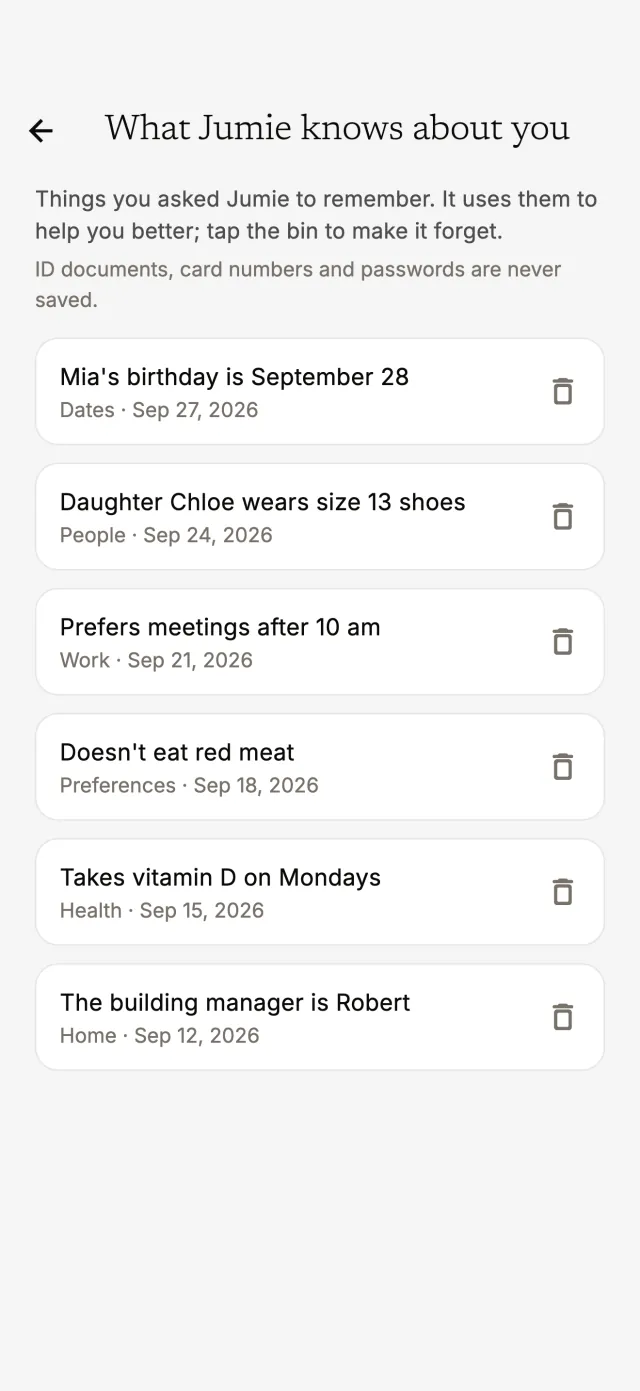
Tell it birthdays, preferences and little details. Jumie uses them to give better answers, and you can see and delete everything anytime.
Mia's birthday is September 28.
Besides the reminders you ask for, Jumie keeps an eye on what matters and sends a notification at the right time. You choose which alerts you get.
Send a photo of a receipt or a bill. Jumie reads the amount and due date, then logs the expense or sets the reminder.
With the widget, one tap and you're already asking.
It reads answers out loud, the way you like.
Connect your personal and work accounts. Jumie brings them together and finds free time, even with the people you want to invite.
English, Portuguese or Spanish, with dates and amounts in the right format for each.
Jumie is just the start. Call your assistant whatever you like.
The details are in our Privacy Policy.
Yes. Jumie is an expense tracker you talk to: say what you spent, send a voice note or a photo of the receipt, and it logs the expense in the right category. Set a monthly budget per category, see your weekly and monthly totals, and get an alert when a budget passes 80% and 100%. Personal finance without a spreadsheet.
It works as an AI personal assistant, like a virtual secretary in your pocket. It checks your Google Calendar, finds free time, reminds you of what matters and creates events with invites for whoever you want. Before each meeting, it tells you who's coming and sends you the call link.
A regular chatbot only answers questions. Jumie acts on your day: it logs expenses, sets reminders, builds lists, checks the calendars of the Google accounts you connect, and sends alerts at the right time, like your morning briefing or a budget running out.
The free plan already keeps your day in order. Jumie Pro, monthly or yearly with a free trial, adds unlimited chat, voice for up to 10 minutes, replies in Jumie's voice, meeting prep alerts, and up to 5 connected Google accounts.
Yes. Jumie is free to download on the App Store (iPhone) and Google Play (Android).
Voice recordings and photos are only used to understand your request and are deleted right after. ID documents, card numbers and passwords are never stored. Data is kept on Google Cloud, and each account only sees its own data.
English, Portuguese and Spanish, with dates and amounts in each language's format.
Free to download on iPhone and Android. Start on the free plan and upgrade to Jumie Pro whenever you want.